
Privileged Access Management (PAM): Complete Beginner’s Guide
Secure the Access That Can Change Everything
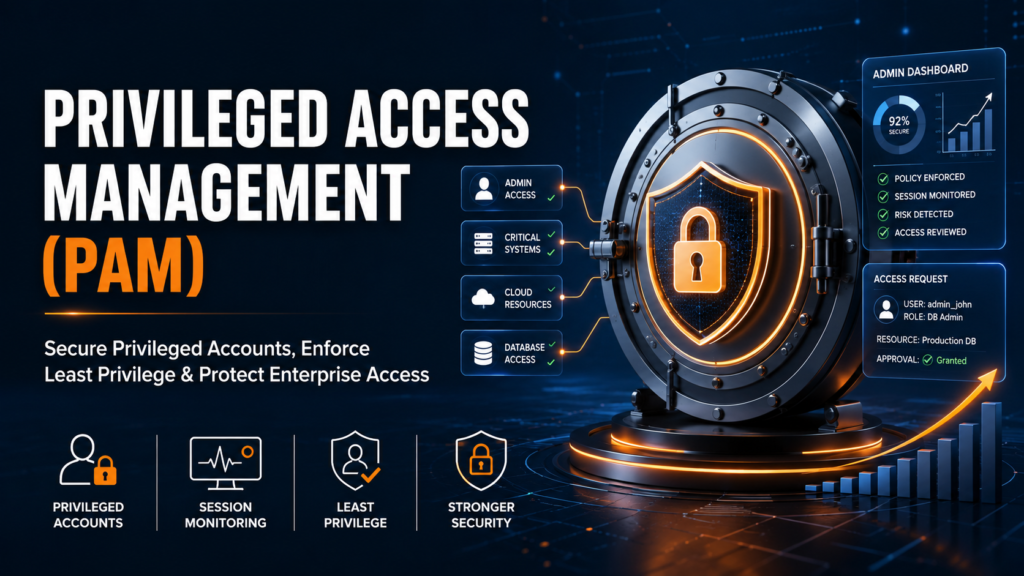
Privileged Access Management protects administrator accounts, root credentials, service accounts, cloud roles and other powerful identities that can alter systems, access sensitive data or disable security controls.
Privileged Access Management at a Glance
- Privileged Access Management, or PAM, protects accounts and identities with powerful administrative permissions.
- Examples include domain administrator, root, database administrator, cloud administrator, service and emergency accounts.
- PAM secures credentials, controls access, rotates passwords, monitors sessions and creates audit records.
- PAM reduces the risk of credential theft, excessive permissions, insider misuse and uncontrolled administrative activity.
- IAM manages identities and general access, while PAM applies stronger controls to elevated and high-risk access.
- Least privilege means providing only the minimum access required to perform an approved task.
- Modern PAM programs also use MFA, approvals, just-in-time access, session isolation and activity monitoring.
What Is Privileged Access Management?
Most employees use standard accounts to read email, open business applications and complete ordinary work. A smaller group of people, applications and machines needs much more powerful access. System administrators may install software, database administrators may change production data, cloud engineers may create or delete resources, and service accounts may run critical applications without a person signing in.
Privileged Access Management focuses on these high-impact permissions. It combines security policies, approval processes and technology to make privileged access controlled rather than permanent, shared and invisible. A mature PAM program answers important questions such as: Who received elevated access? Why was it required? Which system was accessed? Was the password exposed? What commands or actions were performed? When did the access expire?
PAM is not limited to storing administrator passwords. Modern PAM covers human users, non-human identities, credentials, SSH keys, secrets, privileged sessions, temporary elevation and activity monitoring across on-premises, cloud and hybrid environments.
Control
Decide who can obtain privileged access, to which resource, for what purpose and for how long.
Protect
Secure passwords, keys and secrets through vaulting, rotation, MFA and credential-isolation controls.
Monitor
Record privileged sessions, create audit trails and identify unusual or unauthorized activity.
Why Is PAM Important?
Privileged access is valuable because it can bypass ordinary restrictions. The same permissions that help an administrator maintain a server can also help an attacker disable security tools, create hidden accounts, extract data, move between systems or disrupt operations. A single compromised privileged credential can therefore have a much larger impact than a compromised standard user account.
The risk is not only external. Excessive access may remain after an employee changes roles, shared administrator passwords may be known by several people, service-account passwords may remain unchanged for years, and emergency credentials may be used without sufficient review. Cloud services and automation also create large numbers of powerful machine identities, roles, API keys and secrets that can be difficult to track manually.
The central PAM problem
Organizations need privileged access to operate, but they should not provide uncontrolled privilege. PAM creates a governed path between a verified identity and a sensitive resource while reducing standing access and recording what happened.
Credential theft
Attackers commonly seek administrator passwords, tokens, keys and secrets because they provide a faster route to critical assets.
Privilege misuse
Authorized insiders or compromised users may intentionally or accidentally use elevated permissions in damaging ways.
Privilege creep
Access accumulates over time when permissions are not reviewed, reduced or revoked after responsibilities change.
What Is a Privileged Account?
A privileged account is an account with permissions beyond those of a standard user. Depending on the system, it may be able to install or remove software, change configurations, create accounts, reset passwords, access restricted data, manage security settings, start or stop services, or control an entire environment.
The account may belong to a named person, such as a Windows administrator, or it may be non-human, such as a service account used by an application. The defining characteristic is not the account's name; it is the power attached to the account and the consequences if that power is abused.
Examples of Privileged Accounts
Privileged identities exist across operating systems, databases, applications, networks, cloud platforms and development pipelines. Organizations should consider both obvious administrator accounts and less visible non-human accounts.
How Does PAM Improve Security?
PAM improves security by replacing informal administrator access with a controlled workflow. The exact design varies by organization and product, but the core pattern is consistent: discover privileged identities, protect their credentials, verify the requester, grant only approved access, monitor the session and preserve evidence for review.
Core PAM capabilities
Credential vaulting
Stores sensitive passwords and secrets in a protected central system rather than in spreadsheets, scripts or personal notes.
Password rotation
Changes privileged passwords automatically according to policy or after use, reducing the value of stolen credentials.
Strong authentication
Uses identity verification, MFA, approvals and contextual policy before elevated access is granted.
Session isolation
Connects users to target systems without directly exposing privileged passwords and can restrict commands or actions.
Just-in-time access
Provides elevated rights only when required and removes them after a defined time or completed task.
Audit and analytics
Creates searchable records of privileged activity and helps security teams investigate suspicious events.
Example: A production server needs urgent maintenance
What Is the Difference Between IAM and PAM?
Identity and Access Management (IAM) manages identities and ordinary access across an organization. It helps ensure that employees, contractors and customers can authenticate and use the applications and resources appropriate to their roles. Privileged Access Management is a specialized area of identity security focused on elevated, high-risk access.
IAM and PAM are complementary rather than competing technologies. IAM may establish that an engineer belongs to the database-support team. PAM then controls whether that engineer can obtain database-administrator access, under what conditions, for how long and with what monitoring.
| Area | IAM | PAM |
|---|---|---|
| Primary purpose | Manage identities, authentication and everyday access to business resources. | Secure, control and monitor elevated access to critical systems and data. |
| Typical users | Employees, contractors, partners and customers. | Administrators, engineers, vendors, applications, services and machine identities. |
| Access level | Standard or role-based business access. | Administrator, root, owner, superuser or other high-impact privileges. |
| Common controls | Single sign-on, MFA, provisioning, federation and access reviews. | Vaulting, credential rotation, session monitoring, approvals, JIT access and command controls. |
| Main question | Should this identity access this application or resource? | Should this identity receive elevated access, and how should that privileged activity be controlled? |
| Risk focus | Unauthorized access and identity lifecycle risk across the workforce. | Credential theft, privilege escalation, lateral movement and misuse of powerful access. |
What Are the Benefits of PAM?
Reduces credential exposure
Vaulting and session brokering can prevent users, scripts and support teams from directly handling sensitive passwords.
Limits standing privilege
Time-bound and just-in-time access reduce the number of permanently privileged identities available to attackers.
Improves accountability
Individual authentication and session records show who performed privileged actions and when they occurred.
Restricts lateral movement
Credential isolation, rotation and segmentation make it more difficult to reuse one compromised account across many systems.
Supports audits and compliance
Approvals, access records, password policies and session evidence help demonstrate that sensitive access is governed.
Secures third-party access
Vendors can receive controlled access to approved systems without being given persistent or broadly shared credentials.
Accelerates investigations
Security teams can review who connected to a target, what occurred during the session and which credentials were involved.
Standardizes administration
Central policies reduce inconsistent password practices and informal access procedures across teams and technologies.
What Is Least Privilege?
Least privilege is the principle that a person, application or process should receive only the minimum permissions needed to complete an assigned task. It should not receive broader access merely because that access is convenient or was granted in the past.
Least privilege is central to PAM. Rather than allowing an engineer to remain a permanent administrator, an organization can provide elevated access only to a specific server, for a specific change window, after approval and with the session monitored. When the task ends, the elevated access is removed.
Practical examples of least privilege
Least privilege does not mean zero access
The goal is to provide enough access for legitimate work while limiting unnecessary power. Well-designed PAM controls should improve security without forcing administrators into slow or impractical processes.
A Practical PAM Implementation Roadmap
PAM is most effective when introduced as a risk-reduction program rather than only as a software installation. Organizations should prioritize the accounts and systems that would create the greatest business impact if compromised.
Discover privileged identities
Inventory administrator accounts, root accounts, service accounts, cloud roles, secrets, keys, emergency accounts and vendor access.
Prioritize critical risks
Begin with domain administrators, tier-zero systems, production infrastructure, cloud owners and accounts with broad or shared access.
Define ownership and policy
Document who owns each account, who may use it, approval requirements, password rules, monitoring requirements and emergency procedures.
Vault and rotate credentials
Remove passwords and secrets from uncontrolled locations, onboard them into a secure vault and automate credential changes where possible.
Control privileged sessions
Apply MFA, approvals, time restrictions, session isolation, activity recording and credential non-disclosure for sensitive connections.
Reduce permanent access
Replace standing administrator rights with least privilege, temporary elevation or just-in-time access wherever operationally practical.
Monitor and improve
Review alerts, failed rotations, dormant accounts, policy exceptions and session evidence, then expand coverage to additional systems and identities.
How CyberArk Relates to PAM
CyberArk is widely associated with Privileged Access Management and identity security. In a traditional CyberArk PAM environment, capabilities may include securing privileged credentials in a Digital Vault, giving authorized users access through a web interface, rotating passwords, isolating and recording privileged sessions, and managing access to Windows, Unix, databases, network devices, applications and other targets.
For beginners, it is useful to learn the PAM concepts first—privileged accounts, vaulting, password rotation, session management, least privilege and auditability—and then understand how CyberArk components implement those concepts in an enterprise environment. Read our detailed guide on what CyberArk is and how it works.
Privileged Access Management FAQs
What is Privileged Access Management in simple words?
PAM is a way to protect and control powerful accounts such as administrator, root, service and cloud-owner accounts. It ensures that privileged access is approved, limited, monitored and auditable.
What is a privileged account?
A privileged account has elevated permissions that allow it to perform security-relevant or high-impact actions that an ordinary user cannot perform, such as changing system configurations, managing users or accessing restricted data.
Why is PAM important?
Privileged credentials are attractive targets because they can provide extensive access. PAM reduces the risk of credential theft, excessive permissions, insider misuse, lateral movement and untraceable administrative activity.
What is the difference between IAM and PAM?
IAM manages identities and general access for the broader workforce or customer population. PAM applies specialized controls to elevated access and high-risk accounts. PAM is commonly treated as a specialized part of the wider identity-security or IAM domain.
Does PAM replace IAM?
No. IAM and PAM solve related but different problems. Organizations typically use both: IAM for identity lifecycle and ordinary application access, and PAM for administrator credentials, elevated permissions and privileged sessions.
What is password vaulting?
Password vaulting stores privileged passwords and secrets in a protected central repository. Authorized users or applications retrieve or use them through controlled processes instead of storing them in documents, code or shared messages.
What is just-in-time privileged access?
Just-in-time access provides elevated permissions only when they are needed and for a limited period. This reduces permanent administrator access and the number of privileged identities available for attackers to exploit.
What is the principle of least privilege?
Least privilege means granting a user, application or process only the minimum permissions and resources required to perform its assigned task. Access should be scoped, reviewed and removed when it is no longer needed.
Is PAM only for large organizations?
No. Any organization with administrator accounts, cloud infrastructure, sensitive applications or third-party support access can benefit from PAM principles. The implementation can be scaled according to risk, size and operational complexity.
Is PAM the same as a password manager?
No. A password manager mainly stores credentials for users. PAM provides broader enterprise controls such as credential rotation, approvals, least privilege, session isolation, recording, just-in-time access, auditing and policy enforcement.
Build Practical CyberArk PAM Skills
Learn how enterprise PAM concepts are implemented through vaulting, password management, privileged sessions, platform configuration, troubleshooting and hands-on lab practice.
View CyberArk PAM TrainingRelated CyberArk Guides
Authoritative references
This guide is based on established identity-security concepts described by CyberArk's PAM overview, the NIST definition of least privilege, and NIST identity and access management guidance.